

The short answer: This Eufy C30 manual walks you through charging, app setup, and mounting your Eufy C30 in under 15 minutes, plus the fixes for the most common battery and connection problems UK buyers run into.
Table of Contents
Quick Summary
| Step | What You Do | Time Needed |
|---|---|---|
| 1 | Charge the doorbell fully | 3–4 hours |
| 2 | Download the eufy Security app | 2 minutes |
| 3 | Add the device via QR code | 3 minutes |
| 4 | Choose mounting location | 5 minutes |
| 5 | Drill and fit the bracket | 10 minutes |
| 6 | Click the doorbell into place | 1 minute |
Official Eufy C30 Manual
Eufy publishes the full official Video Doorbell C30 User Guide (T8224) as a downloadable PDF on their support site. This page covers the same steps in plain English, with UK-specific notes on drilling, weatherproofing, and battery performance in colder months — the details the factory manual glosses over.
If you haven't bought yours yet, the Eufy C30 remains one of the better subscription-free doorbells at its price point. For the full breakdown of image quality, night vision, and how it compares to rivals, see our complete Eufy C30 review.
Eufy C30 Setup — Step by Step
Eufy C30 setup starts before the doorbell ever touches your wall — get the battery topped up first, because a flat unit will drop out of the app pairing process halfway through.
Step 1: Charge the doorbell Pull back the silicone flap on the rear of the unit and plug in the supplied USB-C cable. A full charge from empty takes 3–4 hours. Don't skip this — attempting setup on a low battery is the single most common cause of failed pairing.
Step 2: Download the eufy Security app Install the eufy Security app from the App Store or Google Play, then sign in or create a free account. No subscription is required for any core feature, including local storage and human detection.
Step 3: Add the device In the app, tap Add Device, select Video Doorbell, then Video Doorbell again on the model list. Scan the QR code printed on the rear of the unit (or on the quick start card in the box) to pair it. Follow the in-app prompts to connect the doorbell to your home 2.4GHz WiFi — the C30 does not support 5GHz networks, which trips up a lot of UK households running dual-band routers with the same SSID for both bands.
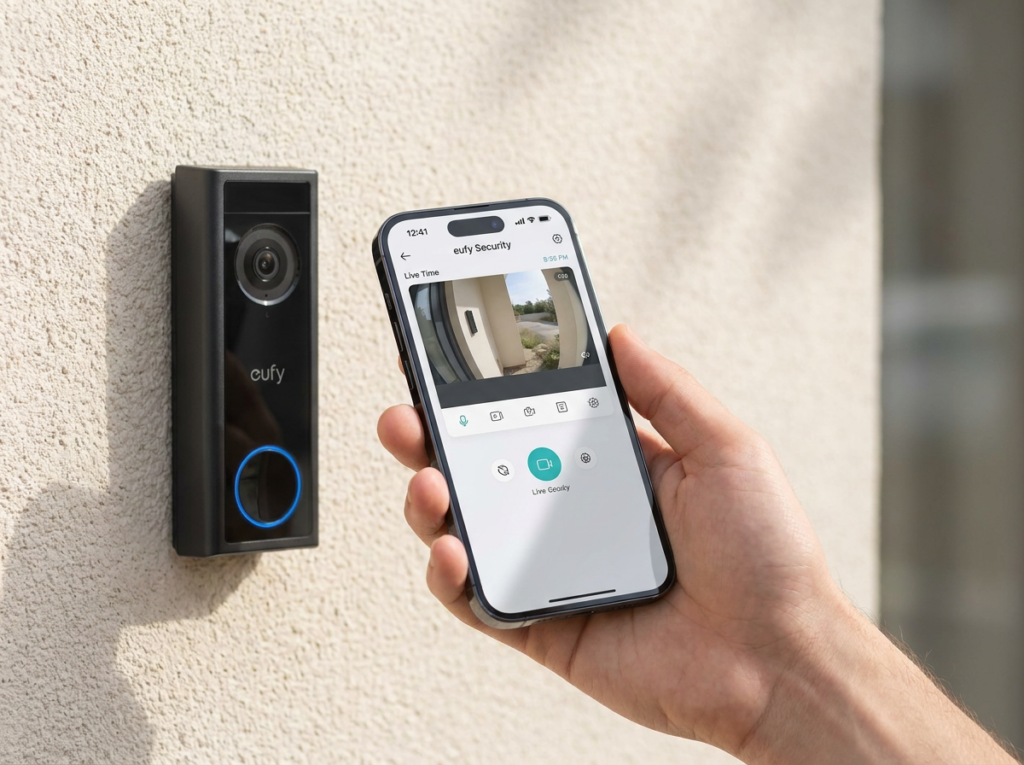
Step 4: Test before you mount Before drilling anything, hold the doorbell up at your intended location and check the live view in the app. This confirms both signal strength and field of view — much easier to fix now than after the bracket is screwed to a brick wall.
Installation — Mounting the Eufy C30
The C30 is battery-powered and wireless — there's no low-voltage wiring involved, so installation is a straightforward drill-and-mount job rather than an electrician's task.
Choosing a location:
- Eufy recommends a mounting height of 1.2m (48 inches) above the ground for the standard field of view.
- Keep the doorbell roughly 1m (40 inches) from any side wall to avoid infrared reflection, which blurs night vision footage.
- Check whether you can reuse existing screw holes from a previous doorbell or door chime — this saves a step and avoids extra holes in brick or render.
Mounting steps:
- Hold the screw hole positioning card (included in the box) against the wall and mark the two drill points.
- On brick, concrete, or stucco, drill using a 15/64" (5.95mm) drill bit and insert the supplied wall anchors. On a wooden door frame, you can skip the anchors and screw directly in.
- Secure the mounting bracket with the supplied screws.
- Align the doorbell with the bottom edge of the bracket and press the top firmly until it clicks into place.
A 15° wedge adapter is included in the box for angling the doorbell if your porch or door recess sits at an angle — useful for terraced houses with recessed doorways, common across East London and similar UK housing stock.
Eufy C30 Troubleshooting
Most Eufy C30 troubleshooting issues fall into three categories: pairing failures, WiFi drop-outs, and notification delays. Here's how to work through each.
Doorbell won't pair with the app:
- Confirm the doorbell is charged above 20% — a common cause of silent pairing failures.
- Press and hold the SYNC button (on the rear, next to the USB-C port) for 2 seconds until you hear a beep, then retry pairing.
- Move your phone closer to the doorbell during setup — Bluetooth pairing range is shorter than WiFi range.
Doorbell won't connect to WiFi:
- Double-check you're connecting to your 2.4GHz network, not 5GHz. If your router broadcasts a single combined SSID, log into the router settings and temporarily split the bands, or check your router manual for a WPS or band-steering toggle.
- Move your router closer or add a WiFi extender if the doorbell sits more than 10 metres from the router through walls — see our full guide to fixing video doorbell WiFi signal problems for extender recommendations.
- Factory reset by pressing the SYNC button quickly 5 times within 3 seconds, then start setup again from Step 3.
Notifications arrive late or not at all:
- Check the app's notification permissions are enabled at the phone's system level, not just inside the eufy app.
- Disable battery optimisation for the eufy Security app on Android — aggressive power-saving modes on some UK carrier phones (particularly Samsung's default settings) delay push notifications by several minutes.
- Confirm human detection is switched on in the app's device settings; without it, the C30 may flag every passing car or moving branch, which can make genuinely important alerts feel like they're arriving late simply because they're buried.
Doorbell offline in the app:
- A doorbell showing "offline" is almost always a battery or WiFi issue, not a hardware fault. Recharge fully and check your router hasn't changed its WiFi password recently.
- If the doorbell stays offline after a full recharge and WiFi confirmation, remove the device from the app and re-add it from scratch.
Eufy C30 Battery Life and Charging
Eufy rates the eufy c30 battery at up to 180 days per charge under typical use. In real UK conditions — cold winters, high motion-detection frequency near busy streets — expect closer to 3–4 months rather than the full six.
To recharge: insert the detaching pin (included in the box) into the pin hole at the top of the doorbell and lift it off the bracket. This doesn't disturb the mounting bracket itself, so you can pop the unit off for charging and click it straight back on afterwards without re-drilling anything.
Tips to extend battery life in UK weather:
- Reduce motion sensitivity slightly if your doorbell faces a busy pavement — fewer false triggers means fewer battery-draining recordings.
- Cold weather reduces battery efficiency across all battery-powered doorbells, not just the C30 — bring the unit indoors to charge rather than leaving it on the bracket in freezing conditions.
- Disable continuous WiFi ping features if your app offers them, and stick to motion-triggered recording only.
Frequently Asked Questions
Does the Eufy C30 need a HomeBase? No. The C30 is a standalone unit that stores footage on a microSD card inserted directly into the doorbell. A HomeBase S380 is optional and only needed if you want centralised storage across multiple eufy devices.
What WiFi does the Eufy C30 need? 2.4GHz only. It does not support 5GHz networks, so make sure your phone is set up on the correct band during pairing.
Can I install the Eufy C30 without drilling? Not with the standard bracket, which requires two screws. If you're renting and can't drill, see our guide to installing a video doorbell in a rented property for no-drill alternatives.
How do I reset the Eufy C30 to factory settings? Press the SYNC button on the rear of the doorbell quickly 5 times within 3 seconds. This powers the doorbell off and clears its network settings, ready for re-pairing.
Why does my Eufy C30 keep going offline? Almost always a flat battery or a WiFi password change at the router. Recharge fully, confirm your WiFi credentials are current, and re-add the device if the problem persists.
Is the Eufy C30 weatherproof enough for UK winters? Yes — it carries an IP65 rating, meaning it's dust-tight and protected against powerful water jets, which covers standard UK rain and sleet without issue.
For the full verdict on video quality, night vision, and how the C30 stacks up against the Eufy E340 and Ring Battery Doorbell Plus, read our complete Eufy C30 review.
As an Amazon Associate, we earn from qualifying purchases at no extra cost to you. Prices correct at time of writing and verified on Amazon UK. Some images on this site are AI-generated and may not reflect the exact appearance of the products described.