

The short answer: The Ring Battery Doorbell Plus manual covers charging the Quick Release Battery Pack, connecting to the Ring app, and mounting at the right height — this guide walks through the process in plain English, with links to Ring's official documentation and our full review.
Quick Summary
| Detail | Info |
|---|---|
| Model | Ring Battery Doorbell Plus (1st Gen) |
| Power options | Quick Release Battery Pack (or hardwired to existing chime) |
| Resolution | 1536p HD+, head-to-toe view |
| App | Ring app |
| Official manual | Ring Device Manuals |
| Full review | Ring Battery Doorbell Plus Review |
Official Ring Battery Doorbell Plus Manual
Ring's own documentation lives on their support site, with region-specific PDFs: Download the Manual — Ring Wired Doorbell Plus / Battery Doorbell Plus. That's the source to check for wiring diagrams, exact screw specifications, and the latest regulatory details.
This page is a faster, practical route through the same information — with links back to our full Ring Battery Doorbell Plus review if you're still comparing it against other models.
Ring Battery Doorbell Plus Setup — Step by Step
Most people have this running in under 10 minutes once the battery is charged:
- Charge the Quick Release Battery Pack using a standard USB cable before doing anything else — the light on the pack turns solid when it's ready.
- Insert the battery into the bottom of the doorbell unit until it clicks into place.
- Download the Ring app and either create an account or log into an existing one if you already own other Ring devices.
- Scan the QR code on the back of the doorbell, or enter the setup code manually if scanning fails.
- Connect to your 2.4GHz Wi-Fi network — the app will guide you through this, and it won't proceed on a 5GHz-only connection.
- Mount the doorbell at roughly 1.2 metres (4 feet) from the ground, angled to face the approach to your door rather than straight out.
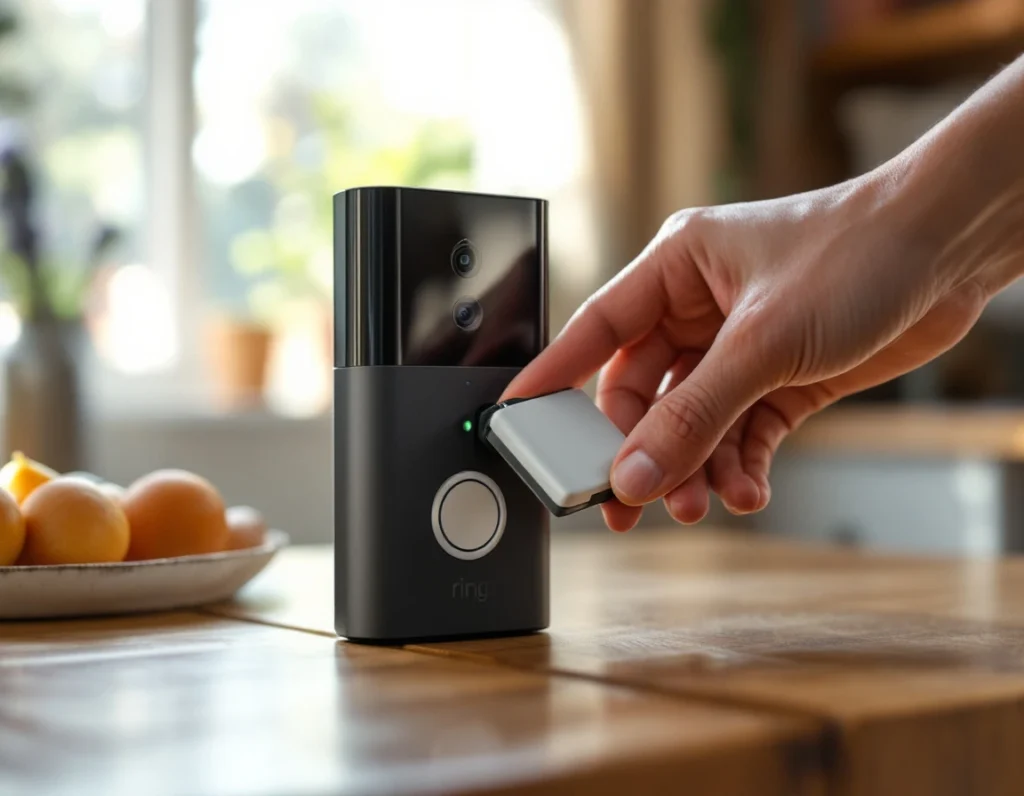
Ring Battery Doorbell Plus Installation — Wiring vs Battery
The "Plus" naming can cause confusion — this model runs primarily on the removable battery pack, but it also supports a hardwired connection to an existing doorbell transformer for continuous charging.
Battery-only installation is the simplest option and works anywhere within Wi-Fi range, with no electrical work involved. The battery needs periodic recharging — how often depends on your motion settings and how much foot traffic passes your door. If you don't currently have doorbell wiring at all, our guide to installing a video doorbell without existing wiring covers the wider process.
Hardwired installation connects the doorbell to your existing transformer, keeping the battery topped up automatically. Ring recommends an 8–24VAC transformer rated at 40VA or less — if you're not sure what your current setup provides, it's worth checking before you commit to wiring it in, since mismatched voltage can cause charging issues rather than outright damage in most cases.
Ring Battery Doorbell Plus Troubleshooting
These are the issues that come up most often:
Doorbell lights won't turn on after charging. Try a different USB cable or power source first — a surprising number of "dead battery" reports turn out to be a faulty cable rather than the battery pack itself.
Motion alerts triggering constantly, or not at all. This usually comes down to the motion zone settings in the app. Narrowing the detection zone away from a busy pavement, or adjusting sensitivity, fixes most over-triggering. If alerts aren't firing at all, double-check that Motion Alerts are toggled on in the device settings — this can get switched off accidentally during setup.
Video looks dark or washed out at night. This is typically a placement issue rather than a hardware fault — direct porch lighting shining into the lens can wash out the night vision. Repositioning the light, or adjusting the doorbell's angle slightly, usually resolves it.
Weak Wi-Fi signal at the doorbell. If your router is far from the front door, video can lag or drop. Our guide on improving video doorbell Wi-Fi signal covers extenders, mesh systems, and other fixes beyond just relocating the router.
App shows the doorbell as offline. Restarting the router first resolves this more often than not. If it persists, removing the device in the app and re-adding it — rather than troubleshooting endlessly — is usually faster than chasing the underlying cause.
Frequently Asked Questions
Does the Ring Battery Doorbell Plus need a subscription? Basic live view and two-way talk work without one, but features like video history, saving clips, and Person + Package Alerts require a Ring Protect subscription.
How long does the battery last? It varies with usage, but most owners report several weeks to a couple of months between charges under typical UK household activity.
Can I hardwire it later if I start with battery-only? Yes — the hardwired connection option can be added after initial setup, as long as you have compatible existing doorbell wiring at that point.
Is the Ring Battery Doorbell Plus weatherproof? It's built for outdoor use and rated to handle typical UK rain, though a covered entryway is still the safer long-term placement.
Does it work with Alexa? Yes, since Ring is an Amazon company, it integrates directly with Alexa devices for voice announcements and viewing live feeds on Echo Show screens.
What's the difference between this and the standard Ring Video Doorbell? The Plus model adds a wider field of view and improved head-to-toe framing — see our full review for a detailed breakdown against Ring's other doorbells.
As an Amazon Associate, we earn from qualifying purchases at no extra cost to you. Prices correct at time of writing and verified on Amazon UK. Some images on this site are AI-generated and may not reflect the exact appearance of the products described.