

It's one of the most common questions we get at videodoorbell.uk: can a video doorbell work without internet? Maybe your broadband is unreliable. Maybe you're worried about privacy. Maybe you just want to know what happens when your router goes down.
The short answer: A video doorbell without internet loses most of its smart features — remote viewing, alerts, and cloud storage all require connectivity. However to unlock their full feature set — remote viewing, motion alerts, cloud storage, and smart home integration all require Wi-Fi. However, some models can still record footage locally, function as a traditional doorbell, and store video on a microSD card — all without internet. The key is knowing which features survive offline and which don't.
This guide covers exactly that: what works, what doesn't, and which UK doorbells handle an internet outage best.
Table of Contents
What Happens When Your Video Doorbell Loses Internet?
When your broadband goes down or your router loses connection, a video doorbell without internet loses some functionality immediately. What survives depends heavily on the model and how it's set up.
Features that stop working without internet:
- Remote viewing — you can't see the live feed from your phone when away from home
- Motion alerts — push notifications to your phone require an internet connection
- Cloud storage — footage can't be uploaded to the manufacturer's servers
- Smart home integration — Alexa, Google Home, and Apple HomeKit routines stop working
- Two-way audio from outside the home — remote communication requires connectivity
Features that may still work without internet:
- The doorbell chime — most doorbells still ring the indoor chime when pressed
- Local video recording — if the doorbell has a microSD card or local hub storage
- Basic motion detection recording — saved locally, not sent anywhere
- Live view on a local network — some models allow viewing on the same Wi-Fi network even without internet access
The distinction matters. A Ring or Google Nest doorbell with no local storage becomes essentially a dumb doorbell without internet — it rings, but captures nothing. A Eufy doorbell with a HomeBase hub or a microSD card continues recording locally even when the cloud is unreachable.
Video Doorbell Without Internet — 5 Essential Facts
Fact 1: Most Video Doorbells Need Wi-Fi — But Not All Features Require Internet
There's an important difference between Wi-Fi and internet access. Wi-Fi is the local wireless network in your home. Internet is the connection from your router to the outside world.
A video doorbell without internet access but still on local Wi-Fi — allowing local live view and recording — but they can't send alerts to your phone or upload footage to the cloud. Others, like Ring, rely entirely on cloud infrastructure and lose recording capability entirely without a working internet connection.
If you're worried about broadband outages, the key question isn't "does it need Wi-Fi?" — it's "does it store footage locally?"
Fact 2: Local Storage Is the Key to Offline Recording
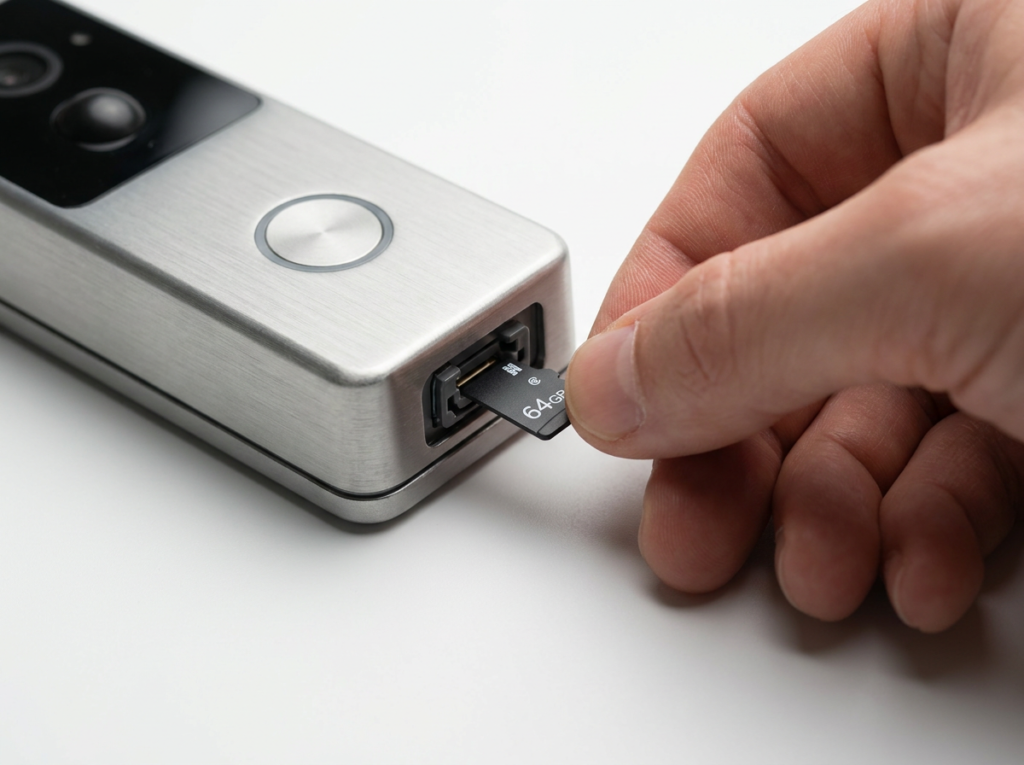
A video doorbell without internet can still record if it stores footage on a microSD card or a local hub (like Eufy's HomeBase) continue recording during internet outages. You won't get notifications in real time, but when the connection restores, you'll have a complete record of everything that happened.
Models in our lineup with local storage:
- Eufy Video Doorbell E340 — stores footage on HomeBase locally, no internet required for recording
- Eufy Video Doorbell S330 — HomeBase local storage, works offline
- TP-Link Tapo D230S1 — microSD card storage, records locally without internet
- Aqara Video Doorbell G4 — microSD storage via chime repeater, records locally
Models that don't record without internet:
- Ring (all models) — cloud-only recording, no local storage option
- Google Nest Doorbell — cloud-only, stops recording without internet
Fact 3: PoE Doorbells Are the Most Reliable Offline Option
Power over Ethernet (PoE) doorbells connect via a physical Ethernet cable rather than Wi-Fi. They're powered and connected through a single cable, and they typically record to a local NVR (Network Video Recorder) rather than the cloud.
This makes them the most resilient option for areas with unreliable broadband. Even if the internet goes down completely, a PoE doorbell connected to a local NVR keeps recording — with no dependence on cloud servers or wireless signals.
The trade-off: PoE doorbells require professional installation in most cases, and they're wired permanently. They're not suitable for renters or anyone who needs a removable solution. For UK homes with a wired doorbell setup already, they're worth considering — see our guide to best wired video doorbells UK for more.
Fact 4: Cellular Video Doorbells Exist — But Are Rare in the UK
In the US, cellular-connected doorbells (using a mobile data SIM rather than Wi-Fi) are increasingly available. In the UK, this remains a niche option with very limited product availability.
A cellular doorbell bypasses your home broadband entirely — it connects via 4G or 5G, meaning it works even if your router is down or your home has no broadband at all. If you're installing a doorbell at a property with no fixed-line internet (a holiday cottage, outbuilding, or rural property), this is worth researching — though you'll pay more and options in the UK market are limited.
For most UK homes, a doorbell with local microSD or hub storage is the more practical offline solution.
Fact 5: Without Internet, You Lose the Main Security Benefit
Here's the honest truth: the most valuable thing a modern video doorbell does is send you a real-time alert when someone approaches your door — whether you're in the kitchen, at work, or on holiday. That alert requires internet.
Without internet, a video doorbell becomes a recording device you check retrospectively. It still has value — footage recorded locally can be reviewed after the fact and used as evidence — but you lose the live awareness that makes video doorbells genuinely useful for security.
This is why working in physical security has taught me that a video doorbell is only as good as the system around it. A doorbell that records locally but sends no alerts is better than nothing, but it's not the same as one that tells you in real time that someone is at your door. For most UK homes, a stable Wi-Fi connection is a prerequisite for getting full value from the technology.
Video Doorbell Without Internet — Model by Model
| Doorbell | Records Without Internet? | Chime Without Internet? | Alerts Without Internet? |
|---|---|---|---|
| Ring (all models) | ❌ | ✅ | ❌ |
| Google Nest | ❌ | ✅ | ❌ |
| Eufy E340 | ✅ (HomeBase) | ✅ | ❌ |
| Eufy S330 | ✅ (HomeBase) | ✅ | ❌ |
| Tapo D230S1 | ✅ (microSD) | ✅ | ❌ |
| Aqara G4 | ✅ (microSD) | ✅ | ❌ |
| PoE Doorbell + NVR | ✅ | ✅ | ❌ |
No video doorbell currently available in the UK can send real-time phone alerts without some form of internet connectivity — whether Wi-Fi, mobile data, or Ethernet with internet access.
How to Improve Reliability — Practical Tips for UK Homes
If internet outages are a concern, here's what actually helps:
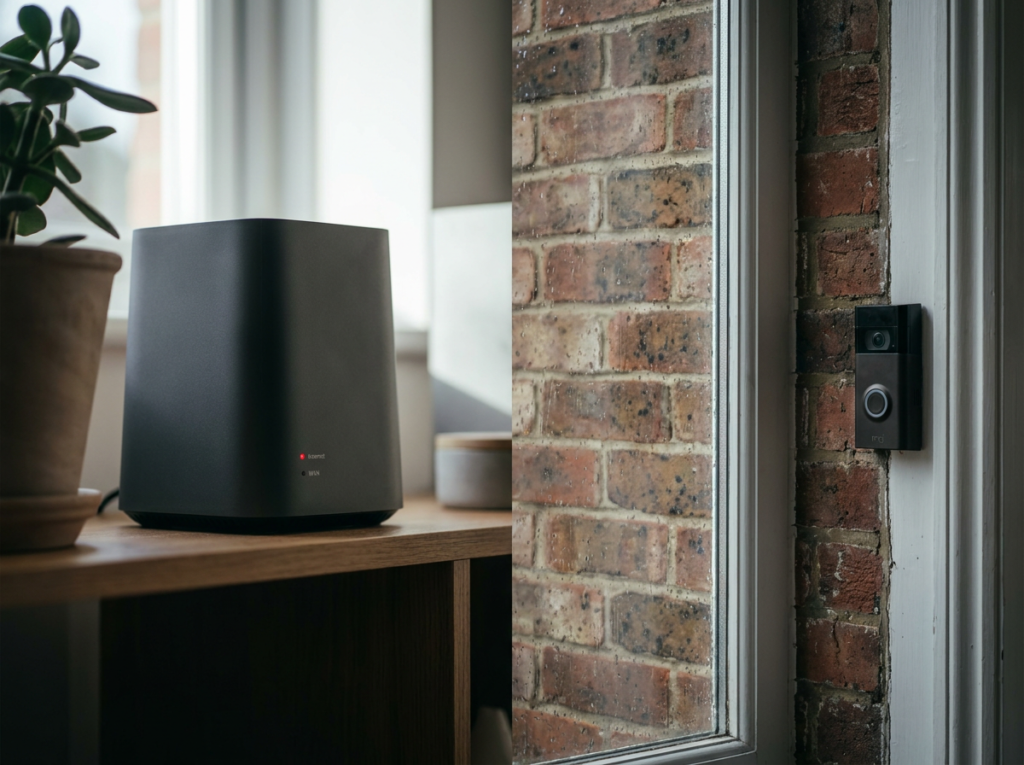
Choose a doorbell with local storage. Eufy and Tapo models with microSD or HomeBase storage keep recording when the internet drops. Ring and Google Nest don't.
Use a wired connection where possible. Battery doorbells add a second point of failure (battery life) on top of internet reliability. A wired doorbell with local NVR storage is the most resilient setup available.
Invest in a backup internet connection. A 4G mobile broadband router as backup — switching automatically when your main broadband drops — keeps your doorbell online through most outages. Major UK providers like BT, Sky, and Virgin all experience occasional outages; a mobile backup eliminates the risk.
Position your router close to the doorbell. A strong, stable Wi-Fi signal reduces disconnections. If your front door is far from your router, consider a Wi-Fi extender or mesh network. For more on this, see our guide on how to improve video doorbell Wi-Fi signal UK.
Enable local storage as a backup even when internet is working. Many doorbells that support both cloud and local storage can be configured to save to both simultaneously. If cloud recording fails, local footage is still there.
Do You Need Internet for Initial Setup?
Yes — virtually all video doorbells require an internet connection for initial setup. You'll need to connect the doorbell to your Wi-Fi network via the manufacturer's app, which requires an active internet connection during that process.
Once set up, some models can continue functioning (locally) without internet. But setup without any internet connection isn't currently possible on consumer video doorbells available in the UK.
Who Should Consider an Offline-Capable Doorbell?
Unreliable broadband area — If you're in a rural UK area where broadband drops regularly, a doorbell with local microSD or HomeBase storage means outages don't create gaps in your security footage.
Privacy-first households — If you're uncomfortable with footage being sent to a manufacturer's cloud servers, local storage keeps everything on your own hardware. Eufy's HomeBase and Aqara's microSD options are popular choices for this reason.
Outbuildings and secondary properties — A garage, workshop, or holiday cottage with no fixed broadband is a strong case for either a PoE local NVR setup or a cellular doorbell.
Anyone considering Ring or Google Nest — Worth knowing upfront: both are cloud-only. An outage means no recording. If local storage matters to you, look at Eufy or Tapo instead.
For a broader look at which doorbells require ongoing payments, see our guide to best video doorbells with no subscription UK.
Frequently Asked Questions
Can a Ring doorbell work without internet? Ring doorbells require an active internet connection for all recording features. Without internet, a Ring doorbell will still ring the indoor chime when pressed, but it won't record footage, send motion alerts, or allow remote viewing. Ring has no local storage option.
Can a video doorbell record without Wi-Fi? Some can. Doorbells with microSD card storage (Tapo D230S1, Aqara G4) or a local hub (Eufy HomeBase) continue recording locally when Wi-Fi or internet is unavailable. Ring and Google Nest cannot record without internet.
What happens to my video doorbell during a power cut? A power cut affects both your router (killing internet and Wi-Fi) and any wired doorbell. Battery-powered doorbells survive a power cut on their own battery, but without the router working, they lose internet connectivity. Some models (like the Aqara G4) use their batteries as backup even when wired.
Is there a video doorbell that works on 4G? Cellular video doorbells exist but are rare in the UK market. Most UK users achieve the same result by pairing their standard Wi-Fi doorbell with a 4G mobile broadband backup router, which kicks in automatically when fixed broadband fails.
Can I view my video doorbell without internet? Some doorbells allow local network viewing — you can see the live feed on a device connected to the same Wi-Fi network, even without internet access. This works at home but not remotely. Ring and Google Nest don't support local viewing without internet; Eufy and some Tapo models do.
Does a video doorbell need to be connected to the internet all the time? For full functionality, yes. Real-time alerts, remote viewing, cloud storage, and smart home integrations all require a continuous internet connection. Local recording (where supported) works without internet, but you won't know about it until you check manually or the connection restores.
Video Doorbell Without Internet — The Honest Bottom Line
The video doorbell market is built around internet connectivity — it's what makes the technology genuinely useful. Real-time alerts, remote access, cloud storage, and smart home integration all depend on a working internet connection. Without it, you have a recording device at best, and a conventional doorbell at worst.
That said, the situation is far from hopeless if internet reliability is a concern. Choosing a doorbell with local storage — Eufy, Tapo, or Aqara — means an outage creates a gap in alerts but not a gap in footage. Pairing any doorbell with a 4G backup router covers most outage scenarios entirely.
The one thing to avoid if reliability matters: Ring or Google Nest. Both are cloud-only systems. When the internet goes down, they go down with it. For UK homes with solid broadband they're excellent products — but for anyone in an area with unreliable connectivity, local storage is essential.
If you're still choosing your first video doorbell and want to understand all the options, our best video doorbell UK guide covers every major model available in the UK right now.
As an Amazon Associate, we earn from qualifying purchases at no extra cost to you. Prices correct at time of writing and verified on Amazon UK. Some images on this site are AI-generated and may not reflect the exact appearance of the products described.