

If you're looking for the best video doorbell for elderly relatives — or for yourself — you've come to the right place. Not all video doorbells are created equal, and what works brilliantly for a tech-savvy 30-year-old can be genuinely confusing for an older person living alone.
The short answer: The best video doorbell for elderly UK users in 2026 is the
In this guide I've focused on what actually matters for older users: simplicity, loud alerts, easy setup, and genuine peace of mind — for the person at home and the family watching out for them.
Table of Contents
Quick Summary — Best Video Doorbells for Elderly UK 2026
| Doorbell | Best For | Price | Subscription | Chime Included |
|---|---|---|---|---|
| Doro Hemma | Overall best for seniors | £150 | No | ✅ |
| Ring Battery Doorbell Plus | Families already using Alexa | ~£130 | Optional | ❌ |
| Eufy Video Doorbell E340 | Parcel detection + no subscription | ~£150 | No | ✅ |
| Google Nest Doorbell | Google Home households | ~£180 | Optional | ❌ |
| TP-Link Tapo D230S1 | Best budget option | ~£50 | No | ✅ |
What Makes a Video Doorbell Good for Elderly Users?
Before diving into recommendations, it's worth understanding what to prioritise for an older person — especially one living alone.
Easy to Use App
The app should be straightforward enough that someone unfamiliar with smartphones can answer the door confidently. Large buttons, clear labels, and a simple layout matter more than a feature-packed interface.
Loud Chime
Many elderly people are hard of hearing. A doorbell that rings quietly or only on a phone is no use. Look for a physical chime with adjustable volume — ideally 90dB or above.
Simple Setup
Wireless battery-powered doorbells win here. No existing wiring required, no electrician needed. For elderly relatives in rented homes, this is especially important — see our guide on video doorbells for rented properties UK.
No Subscription
Older users shouldn't have to manage monthly payments or cloud storage plans. Look for doorbells that offer local storage or free cloud clips as standard.
Two-Way Audio
Being able to speak to visitors without opening the door is a major safety benefit — particularly for those who are vulnerable to doorstep scams, which are unfortunately common in the UK.
Remote Family Access
Many families buy a video doorbell so they can check in on an elderly parent remotely — answering the door on their behalf if needed, or simply seeing who's calling.
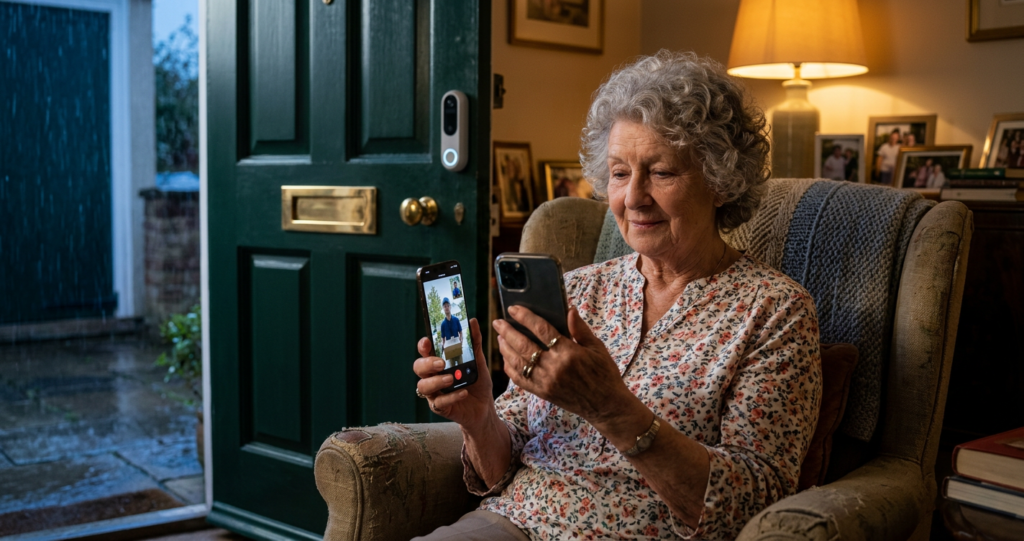
1. Doro Hemma — Best Video Doorbell for Elderly Overall
The Doro Hemma is the standout choice for elderly users and the only video doorbell on the market designed specifically for seniors. Made by Doro — a Swedish brand with 50 years of experience in senior-friendly technology — it fills a gap that Ring, Eufy and Google simply don't address.
Key specs (from doro.com):
| Feature | Doro Hemma |
|---|---|
| Price | £150 |
| Resolution | 1440p (1440×1440) |
| Aspect Ratio | 1:1 (square) |
| Field of View | 154° diagonal |
| Battery | 7000mAh Li-ion rechargeable |
| Battery Life | Up to 6 months active use |
| Night Vision | Infrared (850nm) |
| Two-Way Audio | Yes (2 microphones, noise suppression) |
| Subscription | No |
| Cloud Storage | No |
| Local Storage | microSD up to 128GB |
| IP Rating | IP65 |
| Wi-Fi | 2.4GHz |
| Chime Included | Yes (92dB) |
| Siren | Yes (97dB) |
What makes it special for elderly users:
"Assist Me" function — This is unique to the
Secured by Design accreditation — The
No subscription, ever — All features are included in the £150 price. No monthly fees, no cloud subscription tiers to navigate. Footage is stored locally on a microSD card.
Loud alerts — The included chime reaches 92dB and the built-in siren hits 97dB. Both are adjustable in the app.
The downsides: Doro’s own spec sheet lists battery life at up to 6 months, but real-world testing suggests it can be much shorter with regular use, so it’s best to treat that figure as a maximum rather than a typical result. The app is clear, but it doesn’t support Apple HomeKit, and there’s no colour night vision.
Who it's for: Elderly people living alone, families who want remote "Assist Me" access, anyone who values police-approved security and zero subscriptions.
2. Ring Battery Doorbell Plus — Best for Alexa Households
The Ring Battery Doorbell Plus is the most widely used video doorbell in the UK, and for good reason. While it's not specifically designed for seniors, its Alexa integration makes it genuinely accessible for older users who already have an Echo device.
If an elderly relative has an Echo Show in their kitchen, they can see who's at the door on that screen without needing to touch a phone at all — just by saying "Alexa, show the front door." That's a significant usability advantage.
Key specs: Ring does not officially publish full IP ratings, so IP rating = not stated. Resolution 1536p, head-to-toe view, battery powered, 2.4GHz and 5GHz Wi-Fi. Chime not included (sold separately). Subscription required after 30-day free trial (£3.49/month for Ring Protect Basic).
Pros for elderly users: Alexa voice control, Head-to-Toe view (sees parcels on doorstep), large UK support community, very widely available.
Cons: Subscription required for video history, chime not included, app has more features than some elderly users need.
Who it's for: Families where an Alexa device is already in the home, or where remote access via the Ring app is the priority.
Read our full Ring Battery Doorbell Plus review UK.
3. Eufy Video Doorbell E340 — Best No-Subscription Option with Parcel View
The Eufy Video Doorbell E340 is the best choice for elderly users who want dual cameras — one for faces, one for parcels at the doorstep — with no subscription whatsoever.
For an older person living alone who relies on parcel deliveries (medication, online shopping), being able to see exactly what's been left on the doorstep is genuinely useful. The E340's dual-camera design handles this better than any single-camera doorbell.
Key specs (from eufy.com): Dual camera (2K front + 1080p downward-facing), local HomeBase storage included, no subscription, IP65, chime included, 2.4GHz Wi-Fi.
Pros for elderly users: No subscription, dual view for parcels, chime included, local storage so no cloud accounts to manage.
Cons: Requires HomeBase hub (included, but adds setup complexity), app slightly more involved than Doro's.
Who it's for: Elderly users who get frequent deliveries, families who want subscription-free setup with no ongoing costs.
Read our full Eufy E340 review UK.
4. Google Nest Doorbell — Best for Google Home Households
The Google Nest Doorbell suits elderly users who already have a Google Home or Nest Hub display at home. Like the Ring/Alexa combination, seeing the live doorbell feed on a Nest Hub screen — without touching a phone — is a major accessibility advantage.
Google Assistant voice control works well: "Hey Google, show the front door" displays the live feed on any compatible screen in the house.
Key specs (from store.google.com): 960×1280 HDR video, 145° field of view, battery or wired, 2.4GHz and 5GHz Wi-Fi, IP54 weather resistance, chime not included. Free plan: 3 hours of event history. Nest Aware subscription (£5/month) extends to 30 days.
Pros for elderly users: Google Assistant voice control, Nest Hub display integration, reliable notifications, person/package/animal detection.
Cons: Chime not included, limited free storage (3 hours only), subscription recommended for useful history.
Who it's for: Households with a Google Nest Hub or Google Home speaker already in use.
Read our full Google Nest Doorbell review UK.
5. TP-Link Tapo D230S1 — Best Budget Pick for Elderly
If budget is a concern, the TP-Link Tapo D230S1 is the most affordable doorbell on this list and still delivers solid performance for elderly users. At around £50 with chime included and no subscription required, it's an excellent entry-level option.
The Tapo app is clean and relatively simple, local microSD storage is included in the base unit, and colour night vision means visitors are clearly identifiable even after dark — a feature the more expensive Doro Hemma doesn't offer.
Key specs (from tp-link.com): 2K (2560×1920), colour night vision, 160° field of view, battery powered, IP64, microSD up to 256GB, no subscription, chime included, 2.4GHz Wi-Fi.
Pros for elderly users: Very affordable, chime included, no subscription, colour night vision, simple app.
Cons: No senior-specific features, no "Assist Me" equivalent, app has learning curve for complete non-tech users.
Who it's for: Budget-conscious families, elderly users with some tech confidence, or as a starter doorbell before upgrading.
Read our full TP-Link Tapo D230S1 review UK.
Key Features to Look For — Elderly Video Doorbell Checklist
When choosing a video doorbell for an elderly person, run through this checklist:
✅ Loud physical chime — Can it be heard throughout the house? Look for 90dB+. Extra chimes can usually be added in other rooms.
✅ Simple app — Is the interface clean with large, clearly labelled buttons? Avoid doorbells with overly complex apps.
✅ No subscription — Monthly fees add confusion and cost. Local storage or free cloud is preferable.
✅ Battery powered — No wiring needed, easier to install and move.
✅ Two-way audio — Essential for screening visitors without opening the door.
✅ Remote family access — Can a family member download the app and view the camera or answer the door remotely?
✅ Motion detection — Alerts the user (and family) when someone approaches, even before they ring.
Video Doorbells and Doorstep Scams — A Security Note
Working in physical security in London for over 20 years, I've seen how vulnerable elderly people can be to doorstep scams — and how much a video doorbell can help. Being able to see and speak to a caller before opening the door removes the pressure entirely. The Doro Hemma's "Assist Me" feature takes this a step further: if an elderly person feels uncomfortable, they can pass the call to a trusted relative in seconds, who can then deal with the caller directly.
If doorstep safety is the primary concern, the Doro Hemma is the clear recommendation. If you're concerned about a specific scam or security threat, our guide to do video doorbells deter burglars? is worth reading.
For elderly users in flats or apartments, our guide to best video doorbells for flats and apartments UK covers the additional considerations around communal entrances.
Head-to-Head Comparison
| Doro Hemma | Ring Battery Plus | Eufy E340 | Google Nest | Tapo D230S1 | |
|---|---|---|---|---|---|
| Price | £150 | ~£130 | ~£150 | ~£180 | ~£50 |
| Designed for seniors | ✅ | ❌ | ❌ | ❌ | ❌ |
| Assist Me function | ✅ | ❌ | ❌ | ❌ | ❌ |
| Subscription required | No | Optional | No | Optional | No |
| Chime included | ✅ | ❌ | ✅ | ❌ | ✅ |
| Colour night vision | ❌ | ❌ | ✅ | ❌ | ✅ |
| Voice assistant | ❌ | Alexa | Alexa | Alexa | |
| IP Rating | IP65 | Not stated | IP65 | IP54 | IP64 |
| Police approved | ✅ (SBD) | ❌ | ❌ | ❌ | ❌ |
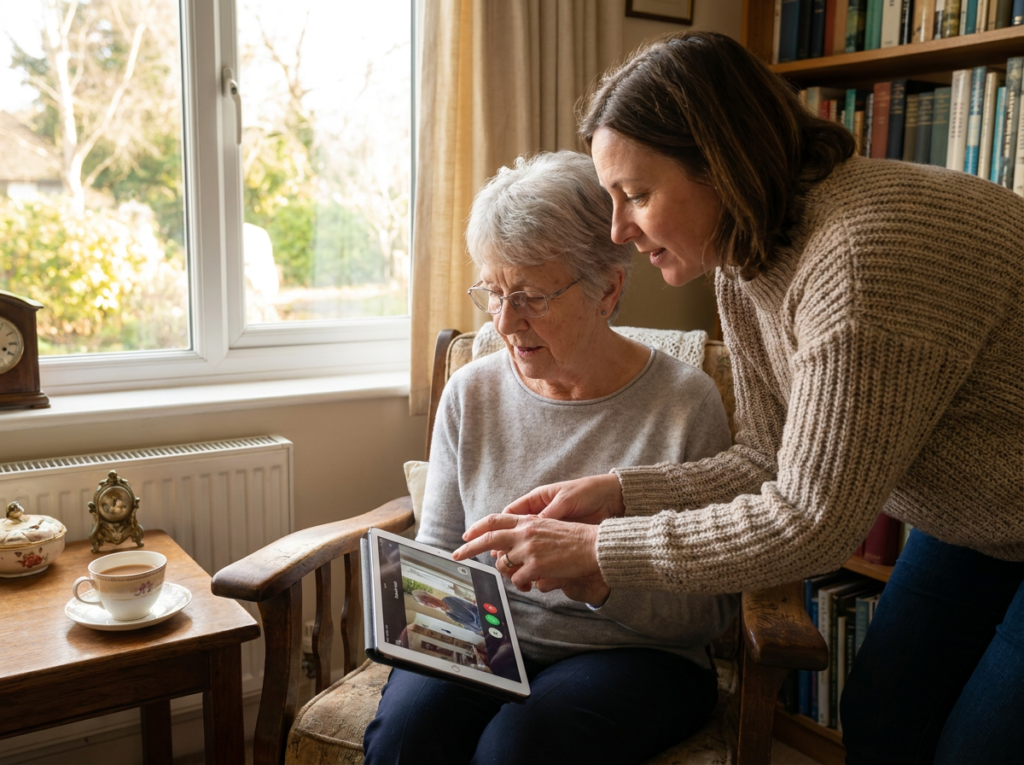
Who Should Buy Which?
Buy the Doro Hemma if:
- Your priority is a doorbell specifically designed for seniors
- You want the "Assist Me" handover feature for family peace of mind
- You want police-approved Secured by Design accreditation
- No subscription is non-negotiable
Buy the Ring Battery Plus if:
- There's already an Alexa or Echo Show device in the home
- Remote family access via the Ring app is the priority
- Head-to-toe view for parcel detection matters
Buy the Eufy E340 if:
- Dual camera (face + parcel) is important
- You want zero subscription with local storage included
- Budget is up to £150
Buy the Google Nest if:
- There's already a Nest Hub or Google Home speaker in the home
- Voice control via Google Assistant is important
Buy the Tapo D230S1 if:
- Budget is under £60
- The elderly person has some tech confidence
- Colour night vision at a low price is the priority
My Verdict
For most families buying a video doorbell for an elderly relative in the UK, the Doro Hemma is the right choice. It's the only doorbell built specifically for seniors, it carries UK police accreditation, and the "Assist Me" feature is genuinely unique — nothing else on the market lets a family member seamlessly take over a doorbell call in real time.
If the Doro Hemma's £150 price is a stretch, the TP-Link Tapo D230S1 at ~£50 is the best budget alternative — chime included, no subscription, and colour night vision at a price that makes it easy to recommend.
For households already using Alexa or Google Home, the Ring Battery Plus or Google Nest respectively unlock hands-free door answering via smart displays — which can be even simpler for some elderly users than using a phone app.
Whatever you choose, any video doorbell is a meaningful upgrade in safety and peace of mind — for the person at home and the family looking after them.
Frequently Asked Questions
What is the easiest video doorbell to use for elderly people? The Doro Hemma is the easiest video doorbell for elderly users. It was designed specifically for seniors, with a simple app, an "Assist Me" function to hand calls to relatives, a loud 92dB chime included, and no subscription required. The Tapo D230S1 is the easiest budget option.
Can a family member answer the video doorbell remotely for an elderly parent? Yes. Most video doorbells allow multiple family members to download the app and answer the door remotely. The Doro Hemma's "Assist Me" feature goes further — the elderly person can actively hand the call to a relative with one tap, even mid-conversation.
Do video doorbells help prevent doorstep scams targeting the elderly? Yes, significantly. Being able to see and speak to a caller before opening the door removes pressure and gives time to think. The Doro Hemma adds a 97dB siren that can be activated remotely, which is an additional deterrent.
Do elderly people need a smartphone to use a video doorbell? Most video doorbells require a smartphone for setup and to receive alerts. However, if the household already has an Amazon Echo Show or Google Nest Hub, Ring and Google Nest doorbells can display the live feed on those screens without needing a phone at all — which can be simpler for some elderly users.
What is the loudest video doorbell chime for hard of hearing users? The Doro Hemma includes a 92dB indoor chime and the built-in siren reaches 97dB. Both are among the loudest on the market. Most doorbells also allow additional chimes to be added in other rooms for larger homes.
Is a subscription required for elderly-friendly video doorbells? Not always. The Doro Hemma and Eufy E340 require no subscription. The Tapo D230S1 also works fully without a subscription. Ring and Google Nest work without subscriptions but limit video history without one.