

The short answer: The Ring Intercom manual covers wiring it into your existing building intercom system, pairing with the Ring app, and unlocking your door remotely — this guide walks through the process in plain English, with links to Ring's official documentation and our full review.
Table of Contents
Quick Summary
| Detail | Info |
|---|---|
| Model | Ring Intercom |
| Power source | Wired into existing intercom system (rechargeable backup battery included) |
| Compatibility | Most analogue intercom systems with a buzzer/unlock wire |
| App | Ring app |
| Optional add-on | Ring Intercom Video Kit |
| Official manual | Installing your Ring Intercom — Ring Support |
| Full review | Ring Intercom Review |
Official Ring Intercom Manual
Ring hosts the full installation walkthrough, including compatibility checks for different intercom systems, on their support site: Installing your Ring Intercom. That's the place to check if your specific building's intercom setup is supported before you buy, since older or unusual systems can vary.
This page is a faster, practical route through the same process, with links back to our full Ring Intercom review if you're still deciding whether it suits your flat or building.
Ring Intercom Setup — Step by Step
Unlike a standard video doorbell, the Ring Intercom wires into your existing building entry system rather than replacing it outright:
- Check compatibility first using Ring's compatibility guide in the app or on their support site — this confirms your intercom system has the right wiring type before you start.
- Turn off power to your existing intercom unit at the relevant switch or fuse.
- Connect the Ring Intercom's wires to your existing buzzer and unlock terminals, following the wiring diagram for your specific intercom model.
- Mount the unit in the location specified for your setup — usually near the existing intercom handset.
- Restore power and confirm the status light on the Ring Intercom turns on.
- Download the Ring app, add the device, scan the QR code, and connect it to your 2.4GHz Wi-Fi network to finish pairing.
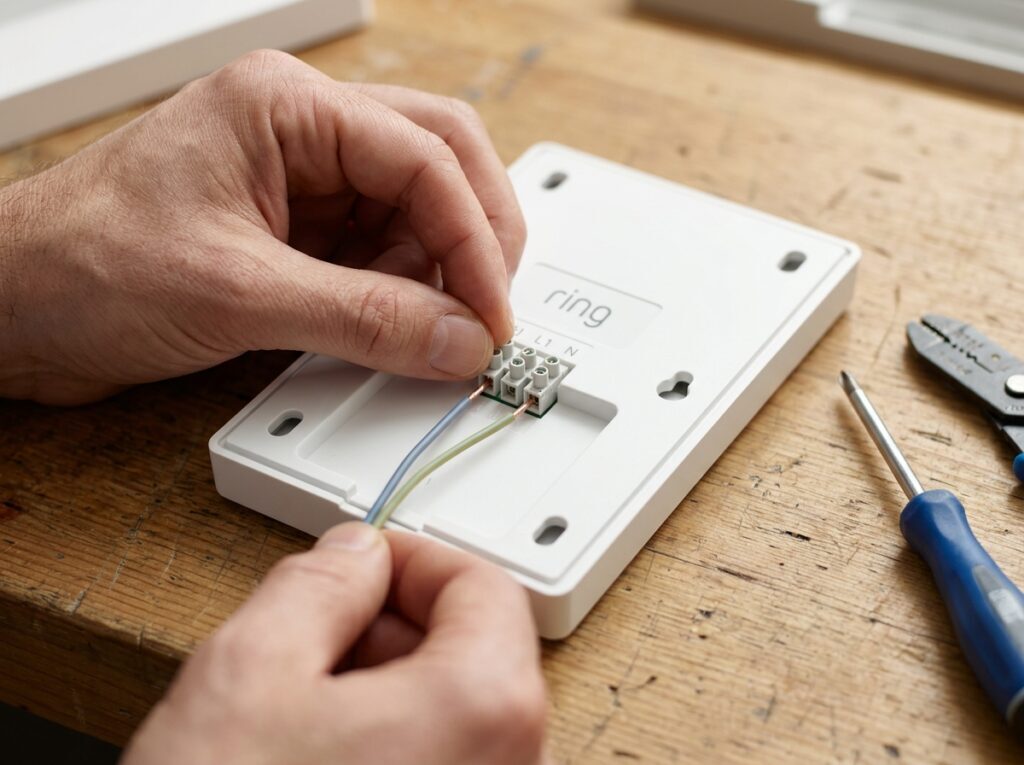
Ring Intercom Installation — Wiring and Compatibility
The Ring Intercom is designed to sit alongside your building's existing intercom wiring rather than needing an entirely new system installed. It typically taps into two wires: one for the buzzer/call signal and one for the door unlock relay.
Because building intercom systems vary significantly — especially in older UK blocks of flats — checking compatibility before purchase is essential. Ring's own compatibility tool asks about your existing panel type and wiring to confirm whether the Intercom will work with your setup. If you're renting, it's also worth checking your tenancy agreement or asking your landlord before altering shared building wiring; our guide on whether your landlord can stop you installing a video doorbell covers similar considerations that often apply to intercom installs too.
The base Ring Intercom is audio and unlock-only. If you also want to see who's at the door, the separate Ring Intercom Video Kit adds a camera module that pairs with the same system.
Ring Intercom Troubleshooting
The most common issues Ring Intercom owners report:
Door won't unlock remotely. This is almost always a wiring issue at the unlock relay terminal rather than an app problem — double-check that connection matches the diagram for your specific intercom model before assuming the device itself is faulty.
No sound or one-way audio during calls. Check the volume settings within the Ring app first, since this is more often a settings issue than a hardware fault. If audio still doesn't work both ways, a loose wiring connection at the original intercom terminals is the next thing to check.
Wi-Fi connection keeps dropping. Because Intercoms are typically mounted inside stairwells or entryways, they can sit further from your router than a front door camera would. Our guide on improving video doorbell Wi-Fi signal covers extenders and mesh options that help in these trickier locations too.
Backup battery not charging. The Ring Intercom includes a rechargeable backup battery for power outages — if it's not holding charge, confirm the unit is receiving continuous power from the building wiring, since the battery only tops up while mains power is present.
App doesn't recognise the unlock command. Try removing and re-adding the device in the Ring app if commands aren't registering after a firmware update — this resolves most syncing issues faster than restarting individual components.
Frequently Asked Questions
Does the Ring Intercom need a subscription? Basic remote unlock and audio work without one, but call history and some advanced features require a Ring Protect subscription.
Will the Ring Intercom work with any building intercom system? Not universally — compatibility depends on your existing wiring type. Always check Ring's compatibility tool before buying, especially for older UK buildings.
Can I install the Ring Intercom myself, or do I need an electrician? Many people install it themselves, but if you're not comfortable working with existing building wiring, or if building rules require professional installation, it's worth arranging one.
Does the Ring Intercom include a camera? No, the base unit is audio and unlock-only. The separate Ring Intercom Video Kit adds video capability.
What happens during a power cut? The built-in backup battery keeps the Intercom running for a limited time during outages, so remote unlock and basic functions continue to work temporarily.
Can multiple household members use the app? Yes, the Ring app supports shared access, so everyone in the household can receive calls and unlock the door from their own device — see our full review for more on how it compares to other entry systems.
As an Amazon Associate, we earn from qualifying purchases at no extra cost to you. Prices correct at time of writing and verified on Amazon UK. Some images on this site are AI-generated and may not reflect the exact appearance of the products described.